Chronicle Browser
A downloadable game for Windows and Linux
***IMPORTANT NOTE FOR WINDOWS USERS***
Chronicle Browser is incompatible with Windows. Chronicle Browser is built on WebKitGTK, which has no native Windows build. In order for it to work on a Windows system, you will require WSL, Windows Subsystem for Linux. I've already put all the instructions inside the README file if you're interested in this application.
The Chronicle
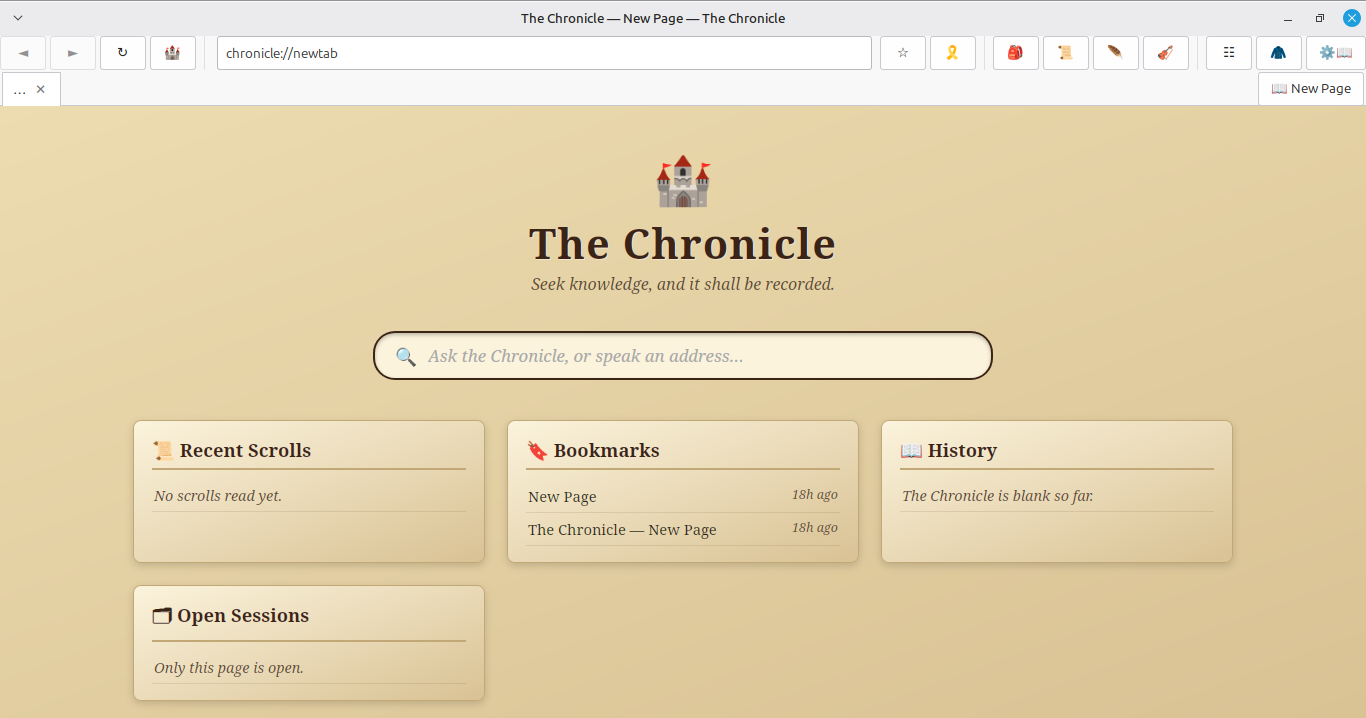
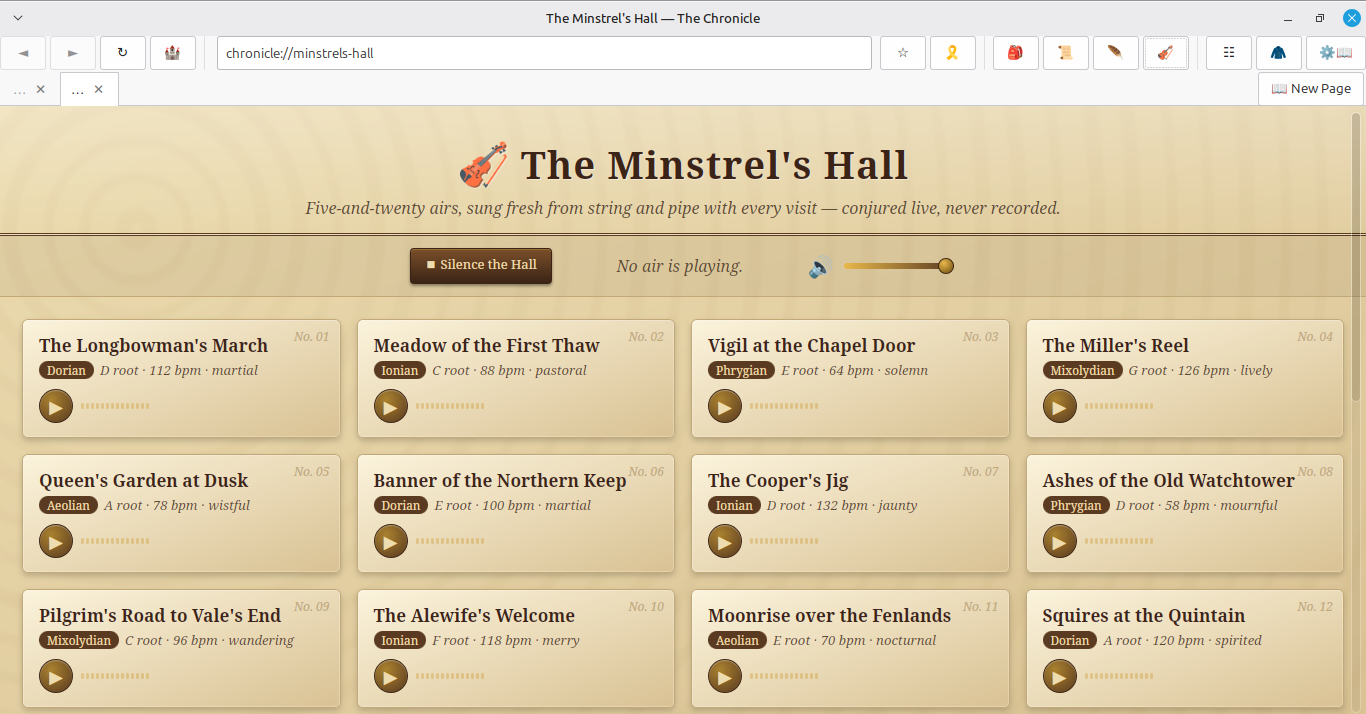
Chronicle Browseris a fully working web browser — tabs, bookmarks, history, downloads, an ad-blocker, private browsing, all of it — reskinned and rebuilt around one idea: what if browsing the web felt like reading from an illuminated manuscript instead of a spreadsheet? Carved-wood toolbars. Parchment tabs. Wax-seal bookmarks. A rotating compass instead of a loading spinner. And a full hall of 25 original medieval tunes, composed and synthesized live in your browser — not a single audio file anywhere.
What's inside 🏰
A real browser Tabs, back/forward/reload, an address bar that understands both URLs and plain search queries, a built-in ad/tracker blocker, and a downloads manager ("the Satchel") with live progress bars.
🔖 Bookmarks worth keeping Place a wax-seal ribbon on any page, jump back to it from a searchable list, no fuss.
📜 The Chronicle (history, but make it a journal) Your browsing history grouped like journal entries — Today, Yesterday, Earlier This Week — because a list of timestamps never felt like a story.
🎻 The Minstrel's Hall 25 tracks across five real medieval modes (Dorian, Aeolian, Phrygian, Mixolydian, Ionian), each one procedurally composed and synthesized live with the Web Audio API. No MP3s, no samples — six synthesized instrument voices (lute-pluck, bowed fiddle, flute, drone, hand-drum, bell) building actual tunes on the fly. It plays in the background while you browse and survives switching tabs, searching, and following links.
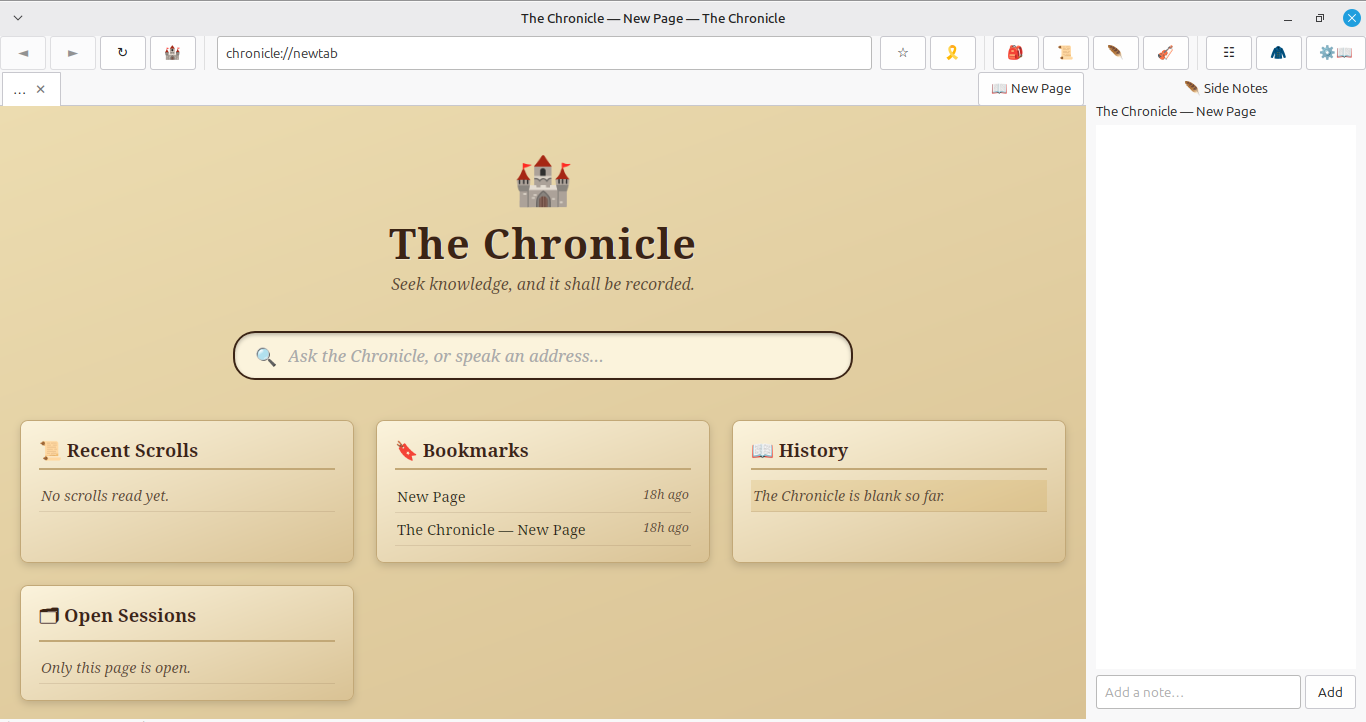
🪶 Side Notes Select any text on any page, right-click, "Add to Notes" — every page can keep its own margin notes, like an actual manuscript.
📖 A real PDF viewer Opens PDFs in their own tab, styled to match, instead of dumping you into a separate app.
🕯️ Private browsing that actually behaves A proper incognito mode — separate session, nothing saved, nothing left behind when you close it.
🗝️ It remembers you Cookies, logins, saved settings — your session persists between launches, because closing your browser shouldn't mean logging back into everything.
Built with WebKitGTK — the same lightweight, native engine that powers GNOME Web, not a repackaged Chromium. Runs light, starts fast.
Download
Install instructions
Linux-- Download the .deb file and install it by double clicking. Depending on the Linux distribution, you may need to use the terminal. (sudo apt install <drag/drop the file into the terminal). I've also left instructions in the readme for linux users, but what I've written here is enough for most Linux distributions.
Windows-- The instructions are written in the README file I've added to the downloads.
Leave a comment
Log in with itch.io to leave a comment.